Insight Doc Translator
Insight Doc Translator
AI Translation + Easy Rewrite + Summarize — Layout Preserved.
Insight Doc Translator goes beyond simple translation. Drop a PowerPoint, PDF, Word, or Excel file and choose what you need: translate into 47 languages with 6 engines (DeepL, Google, Azure, Claude, Gemini, OpenAI), or rewrite the same language in plain Japanese (JLPT N4/N5), shorten to fit a layout, or polish into formal tone — all while keeping the original layout intact. Auto-furigana on kanji helps non-native readers and Japan's Skilled Worker (Ikusei Shuro) program from April 2027. Local processing, BYOK, no cloud lock-in.
Also available on
If your corporate network blocks the download page, the same file is available on GitHub.
Buy now
Free trial available · Invoice available at checkout
1 device · all features · annual subscription
1 device per seat · priority support · multi-seat available
Global pricing is billed in USD ($199 / $499). LemonSqueezy auto-converts to your local currency at checkout using the current exchange rate.
PowerPoint, PDF, Word, Excel — all translated as-is
No copy-pasting. Drop the file and layout, fonts, tables, and figures all stay intact.
PowerPoint (.pptx)
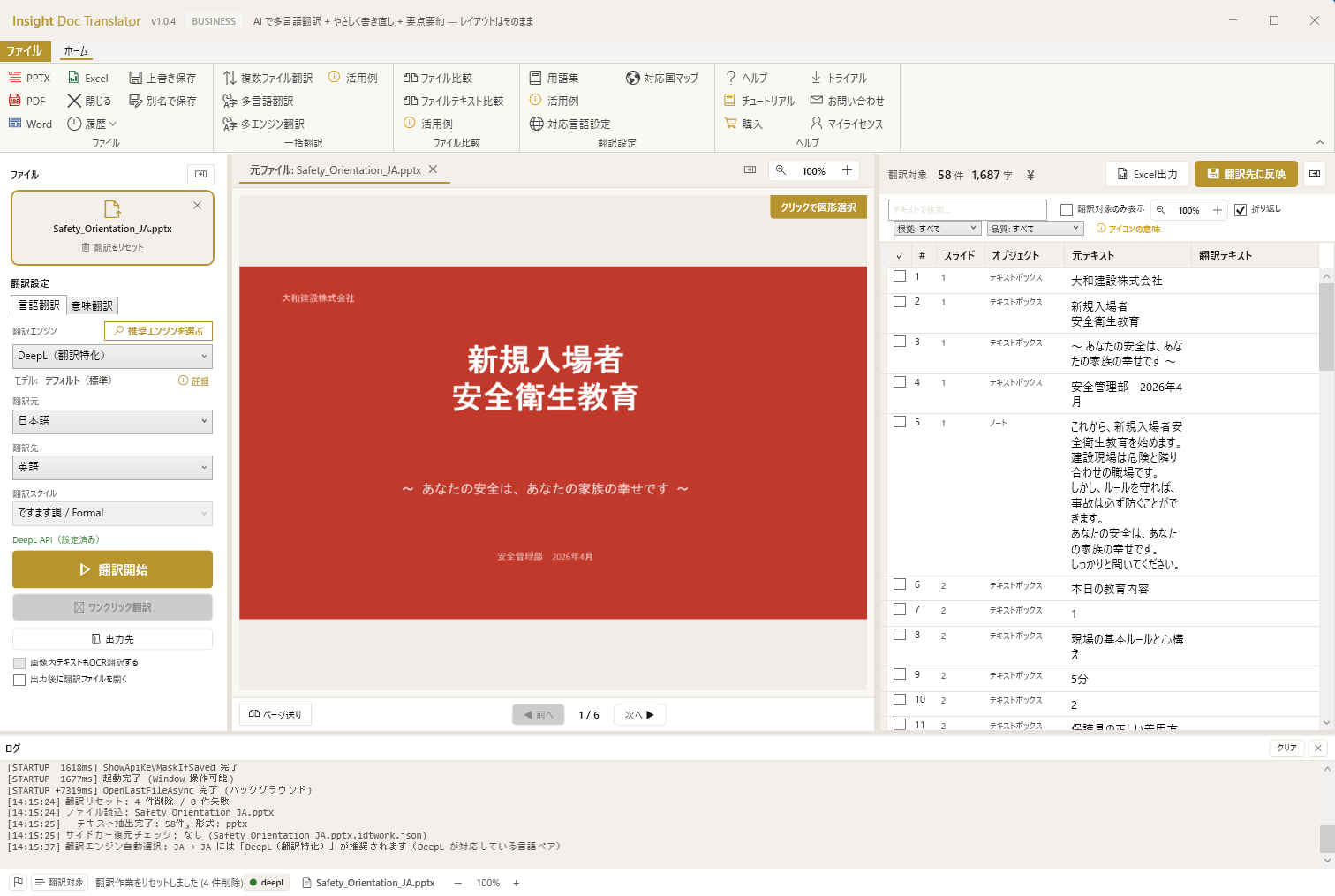
View source/target/progress per slide. Presentations and proposals keep their layout.
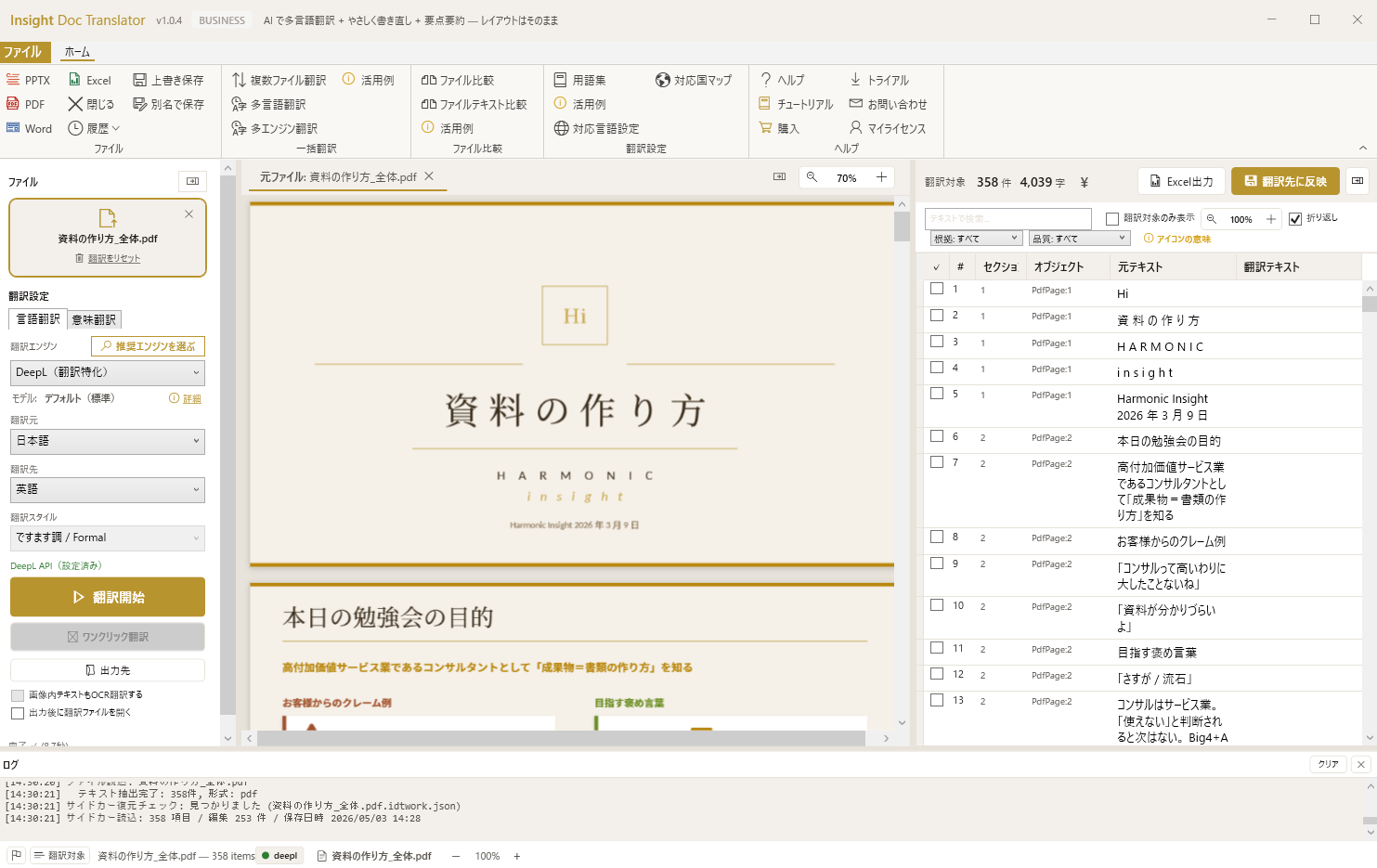
Preserves the text layer. Scanned PDFs handled via Claude Vision OCR.
Word (.docx)
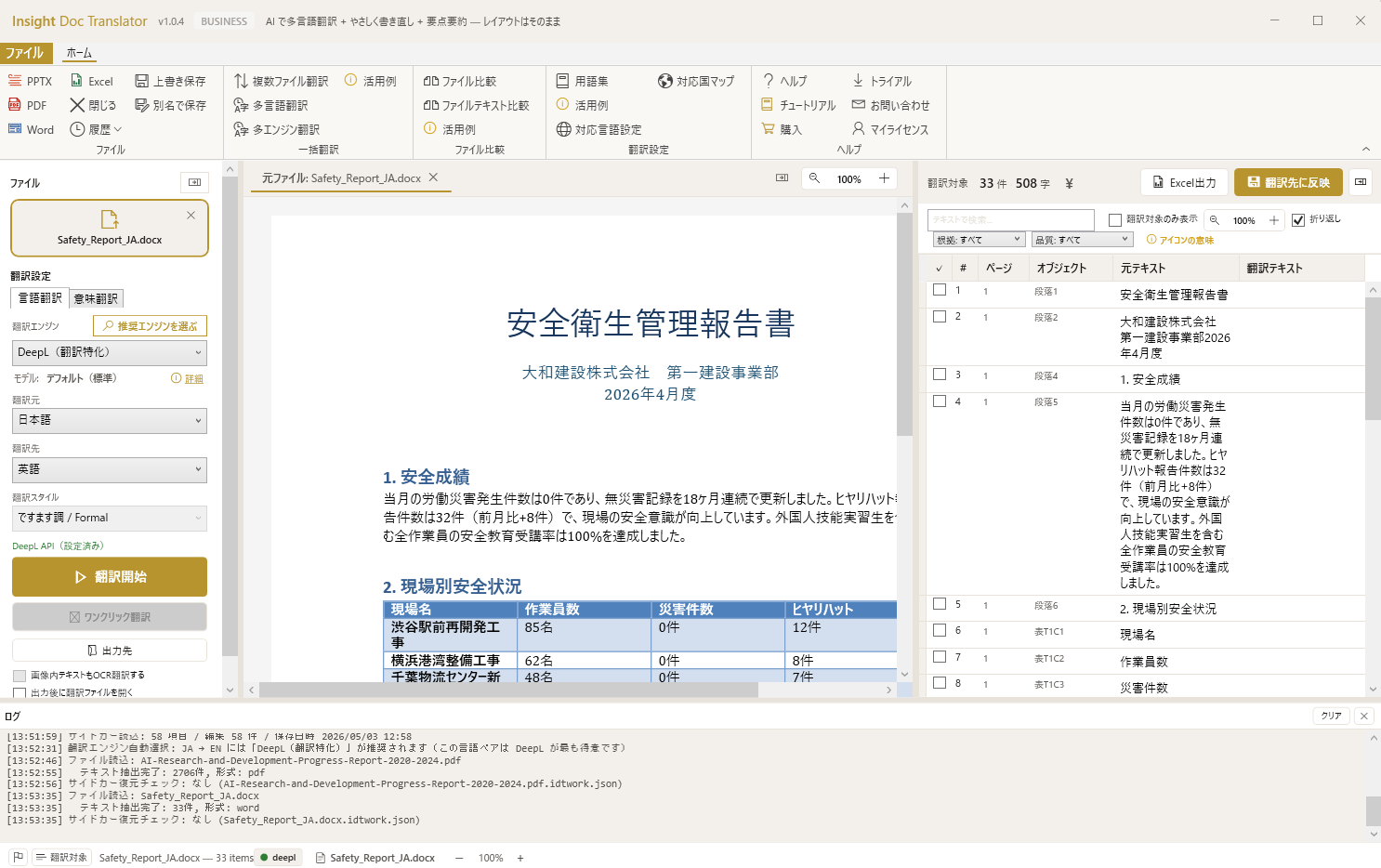
Character styles, paragraph formatting, tables, headers, footers — all preserved.
Excel (.xlsx)
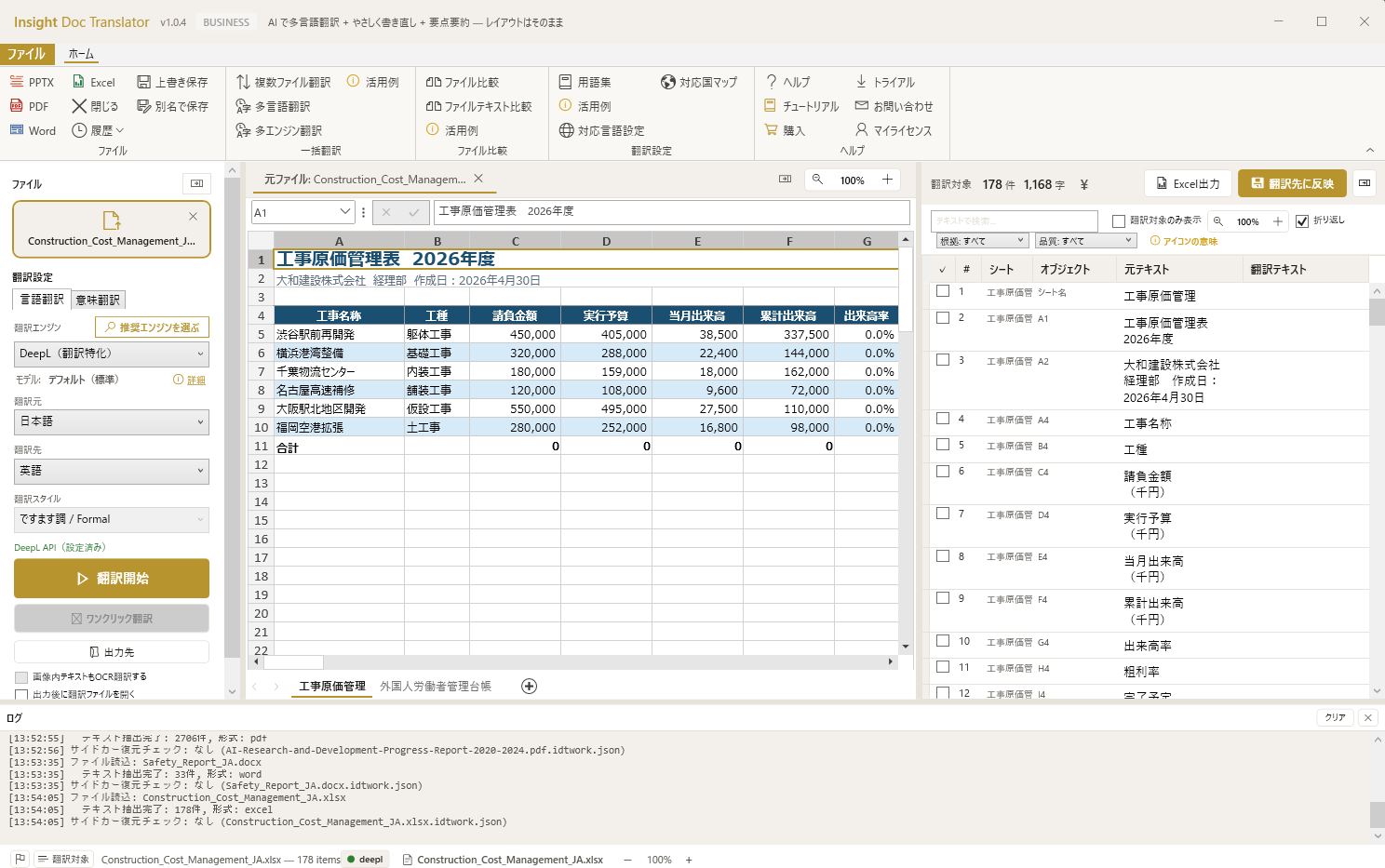
Formulas, conditional formatting, charts intact; only cell content is translated.
Run overnight, review in the morning
Batch multi-file × multi-language × multi-engine. Compare engine outputs side-by-side in the comparison view.
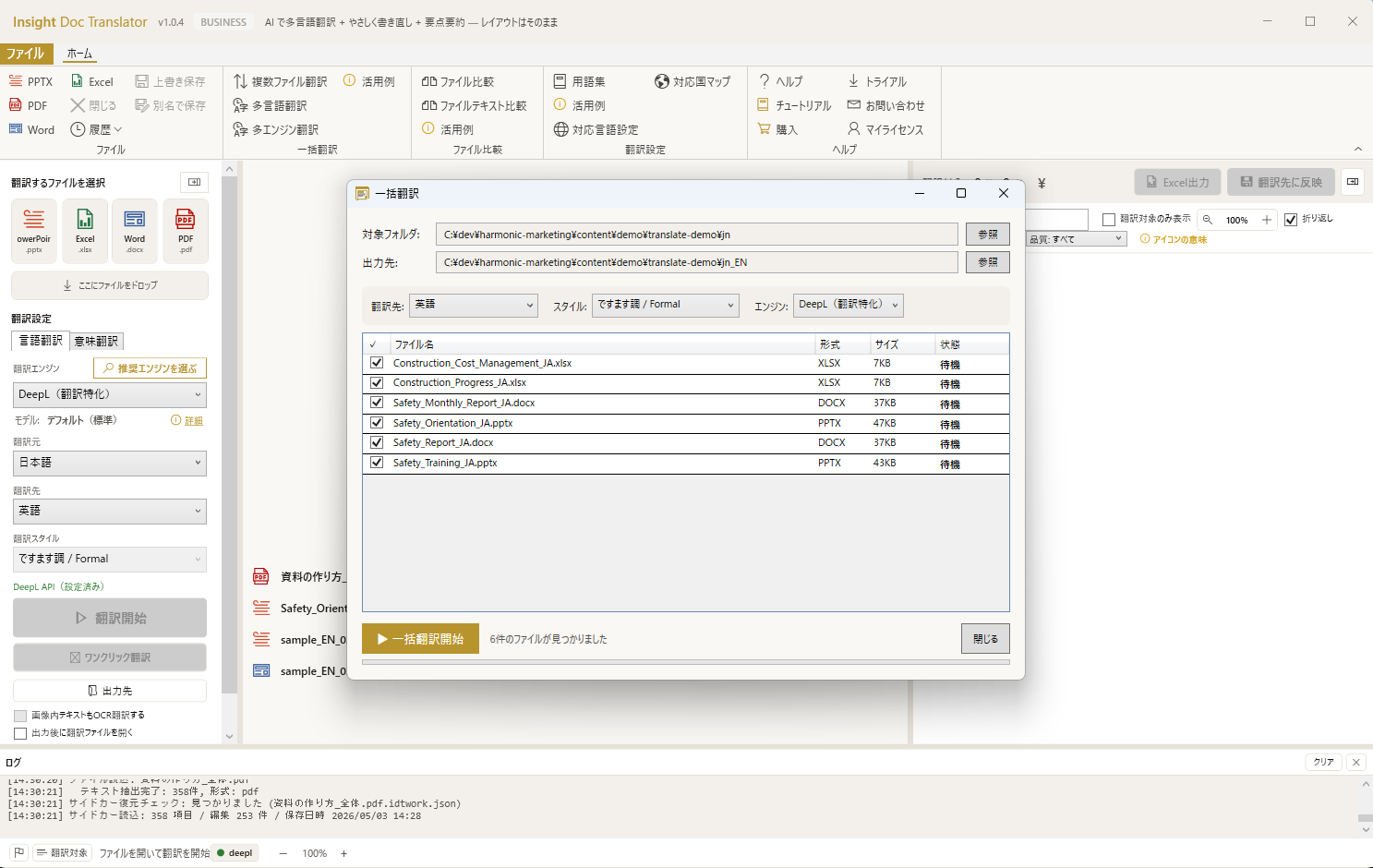
Batch file processing
Translate many files overnight. Done by morning.
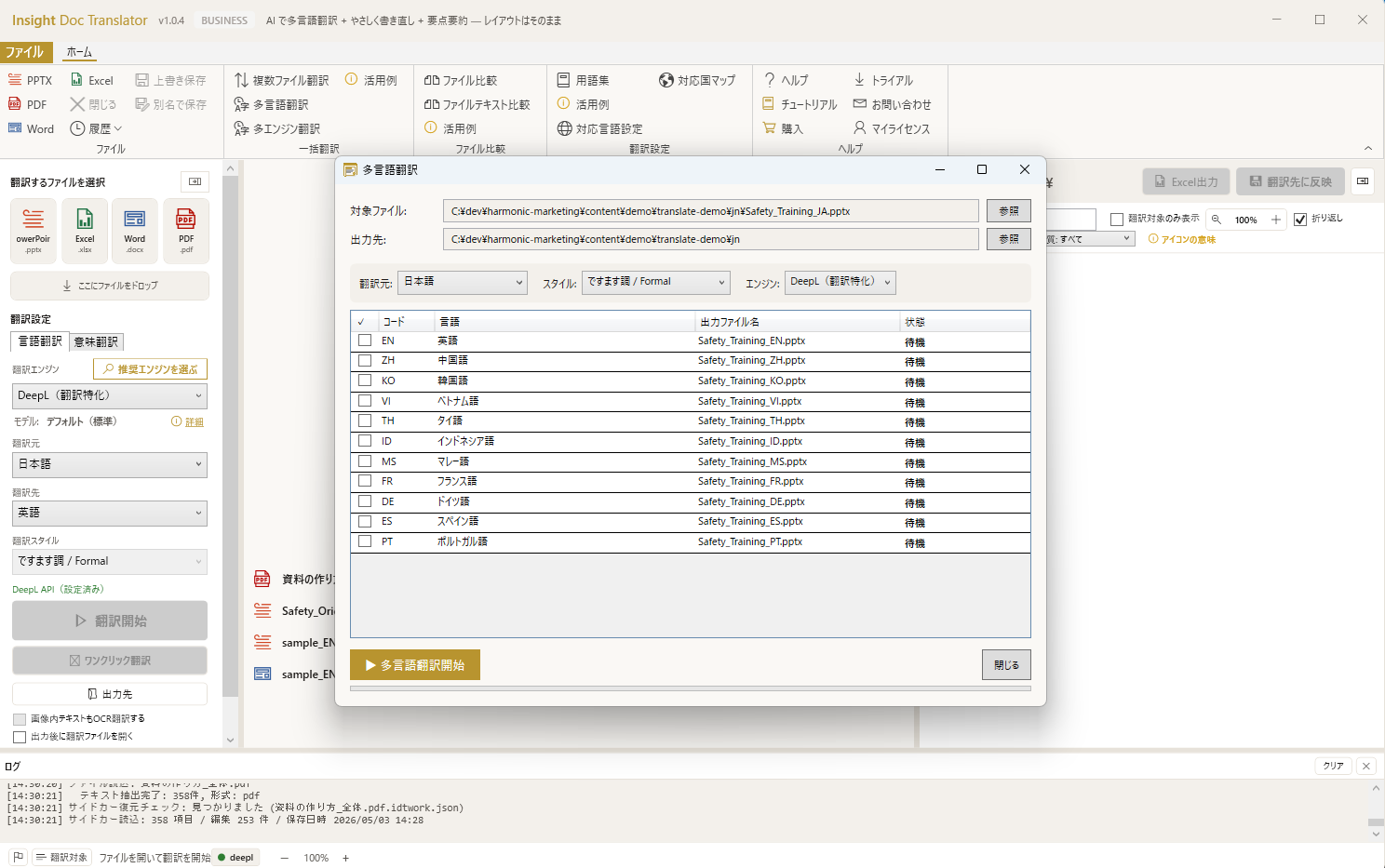
Multi-language output
One file → 47 languages including all 9 Skilled Worker source countries.
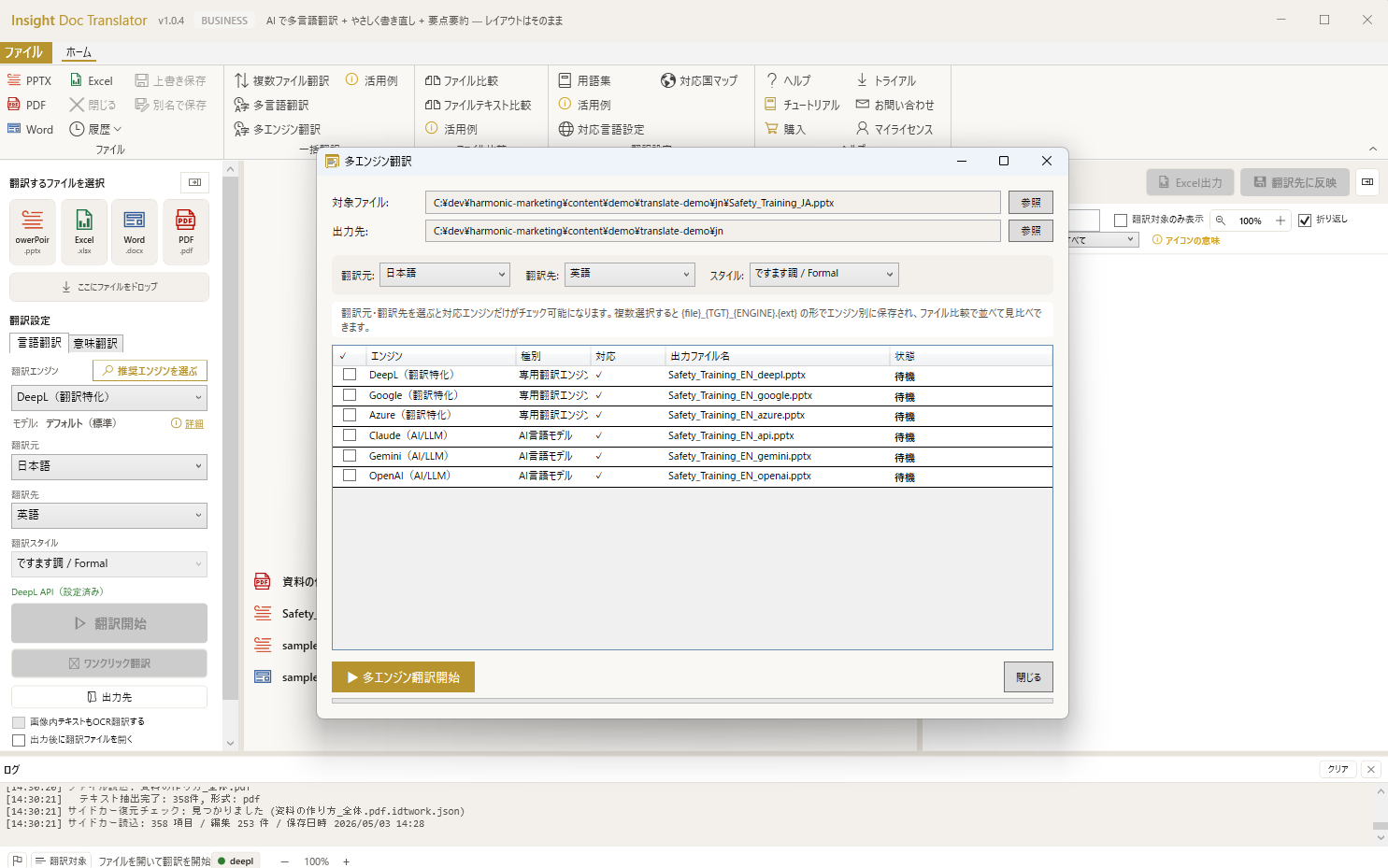
Multi-engine batch
Translate with Claude / DeepL / Google etc. simultaneously, pick the best.
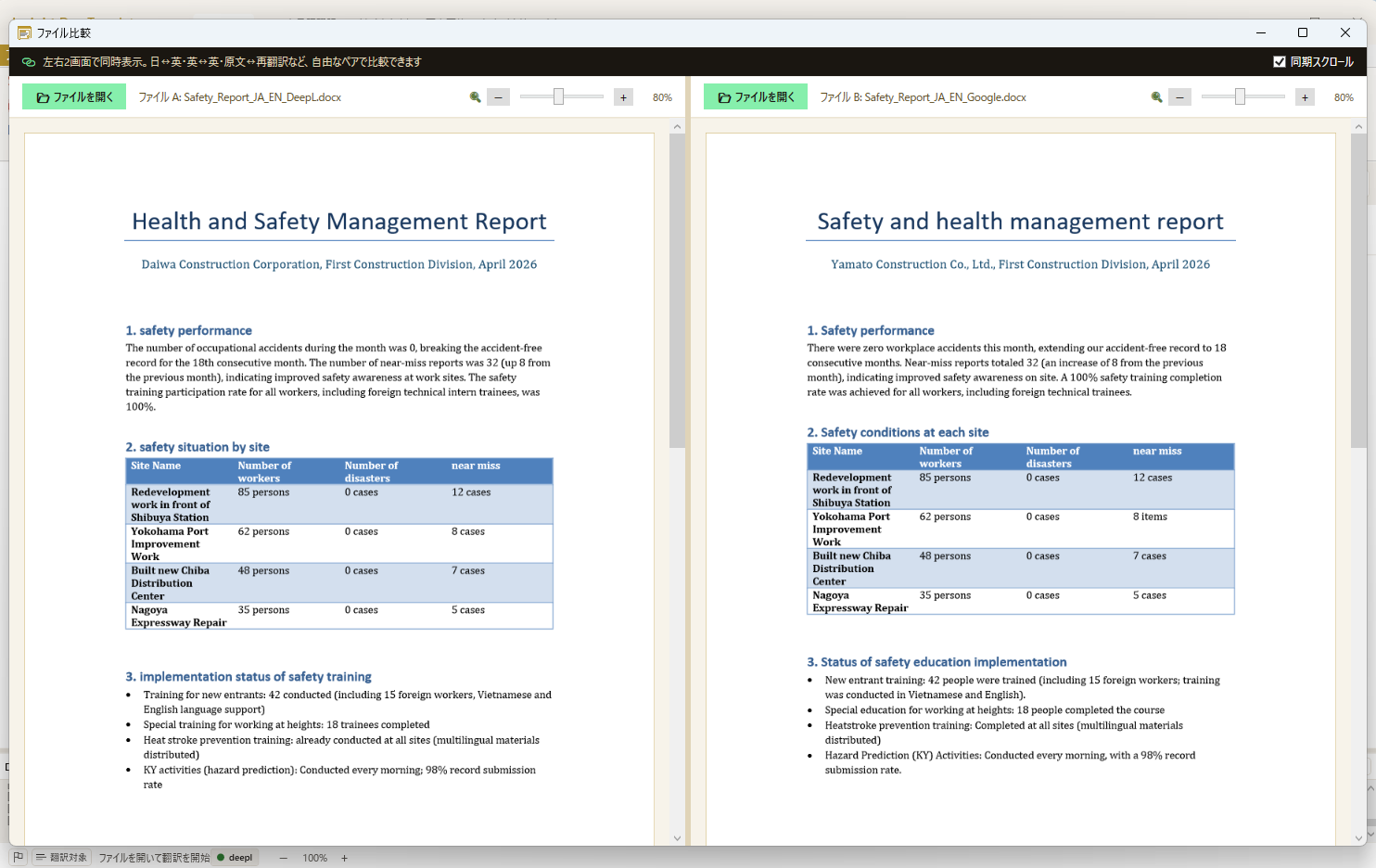
File comparison view
Compare original vs translated or engine outputs side-by-side.
A translation engine is not the same as a field tool.
Translating sentences and producing field-ready multilingual training materials are different problems. Layout preservation, multi-language batch, furigana, and 11-language presets for Skilled Worker programs — that's what the field needs.
How this differs from general cloud translation
Free translators leave you stuck in these business scenarios.
| Aspect | General cloud translation | Insight Doc Translator |
|---|---|---|
| Drop PowerPoint / PDF as-is | ✕Copy → translate → paste back (manual) | ✓Drop and done |
| Layout preservation | ✕Breaks (fonts, layout, images) | ✓Fonts, layout, embedded images intact |
| Enforce corporate glossary | ✕Limited in general translation tools | ✓CSV/Excel glossary enforced at translation time |
| Easy Japanese rewrite | ✕Not available | ✓JLPT N4/N5 + auto-furigana |
| Skilled Worker 2027 readiness | ✕— | ✓Built for multilingual training mandate |
| Data residency | ✕Cloud (external servers) | ✓Local + send only what's needed |
| Pricing model | ✕Per-user monthly / annual subscription | ✓Per-device annual license |
※ Comparison against common per-user annual subscription models offered by cloud translation services.
Development Background
Born from the question: "Why doesn't Office have this feature?"
We built this for two clear pain points. First, generic machine translation breaks formats and ignores company terminology — every company has its own jargon. Second, even with perfect translation, materials are still too hard for foreign workers learning Japanese. So we added 'Intralingual translation' — rewriting Japanese into N4/N5-level easy Japanese — alongside the 47-language interlingual translation. With Japan's Skilled Worker program starting April 2027 demanding multilingual training materials, this dual approach (translate AND rewrite) is the only practical answer.
STORY
A 2-minute story of one site supervisor and a foreign technician
How Tanaka, struggling with the language barrier, came to deliver native-language manuals to Nguyen.
▶ Click play to watch with audio
*Characters are fictional. Reconstructed from actual pilot operation and product specifications.
Key Features
Show all features (15)Collapse
File Compatibility & Limitations
Supported
- PowerPoint (.pptx) — translates slide text preserving layouts, fonts, and animations
- PDF — extracts text and translates (v1.0.4+)
- Excel (.xlsx) — translates cell content preserving formulas and structure
- Word (.docx) — translates document text preserving styles and formatting
- Text (.txt) — translates plain text files
- Glossary CSV/Excel — custom terminology enforcement, with DeepL Glossary sync
- Translation memory — reuse past translations across projects
- Intralingual rewrite (Japanese only) — Easy Japanese N4/N5, Shorten, Polite presets
- Auto-furigana on kanji (Japanese target) — local NMeCab processing
Notes & Limitations
- Images and embedded objects are not translated (text in images remains as-is)
- Complex macros and VBA code are preserved but not translated
- Scanned PDFs without text layer require OCR (can use Claude Vision OCR)
- Very large files (100+ slides / 10,000+ cells) may take longer to process
- Intralingual rewrite (Easy Japanese / Shorten / Polite) is currently Japanese-only
Real-World Use Cases
Implementation & Support Structure
Insight Business Suite is a self-developed product backed by certified partner-led deployment support. From requirements analysis and environment setup through user training and operational adoption, a dedicated team walks alongside you. Ongoing improvement proposals, update rollouts, and technical support ensure stable operations regardless of organization size.
AI you can trust — try it with your own files
Open your .xlsx or .pptx in the free version. See AI edit your documents — with anonymization protecting your data. Then scale with confidence.
Free version available — no credit card, no commitment