Insight Training Studio
Insight Training Studio
Create a PowerPoint, Get a Video. No Recording, No External Production.
Training departments face the same bottleneck: PowerPoint materials exist, but turning them into videos requires screen recording, narration, editing software, and often external production at significant cost per video. InsightTrainingStudio eliminates this process entirely — load a PowerPoint, and speech notes automatically become AI narration while slides become video frames. Onboarding training, safety videos, compliance education, process documentation — all produced in-house in minutes, not weeks.
Also available on
If your corporate network blocks the download page, the same file is available on GitHub.
Buy now
Free trial available · Invoice available at checkout
1 device · all features · annual subscription
1 device per seat · priority support · multi-seat available
Global pricing is billed in USD ($199 / $499). LemonSqueezy auto-converts to your local currency at checkout using the current exchange rate.
NEW IN v1.0.8
Wipe video and audio export — more ways to use it
The main workflow — drag-and-drop PowerPoint into a training video — remains the same. v1.0.8 adds 'Wipe' (a single-slot circular PiP overlay assignable per scene) and 'Audio export' (render narrations as WAV first). Whether you drop in instructor footage, sign-language interpretation, AI-generated video, or smartphone selfies, the workflow is identical.
Wipe video (single slot)
Place another video as a circular-masked PiP in any of the 4 corners. Whether it's an instructor face-cam, sign-language interpretation, or an AI-generated clip, the workflow is the same.
Per-scene assignment
Each scene can have its own wipe clip. Use different instructors, different sign-language clips, or different demo footage scene by scene — easier shooting, easier re-use.
Audio export (lock audio first)
Render per-scene narrations as WAV files first. Bundle timing.json to feed into Sora 2 / Veo / Runway, external lip-sync AI, Podcast distribution, or as a shooting brief for sign-language interpreters.
What you can do now (examples): Render shy presenters as AI videos / re-use existing instructor libraries scene by scene / add sign-language per scene without re-shooting / swap voice for multi-language versions / incorporate generative AI videos (Sora 2 et al.) into training materials / Podcast audio distribution / address JIS X 8341-3:2016 accessibility requirements.
Development Background
Born from the question: "Why doesn't Office have this feature?"
PowerPoint decks already carry the narration script inside their speaker notes — yet turning them into videos still requires separate recording equipment, voice talent, and editing software. The question was obvious: why can't existing materials become videos automatically? InsightTrainingStudio was built to answer that question, turning any PowerPoint (or PDF / Word / Excel) with speaker notes into a narrated video without recording equipment or editing skills.
STORY
A 2-minute story of one training manager
How Matsumoto, who had been fighting against ¥15M annual outsourcing costs, came to make videos in 5 minutes.
▶ Click play to watch with audio
*Characters are fictional. Reconstructed from actual pilot operation and product specifications.
How it works
Your training video is ready in three steps.
Drop
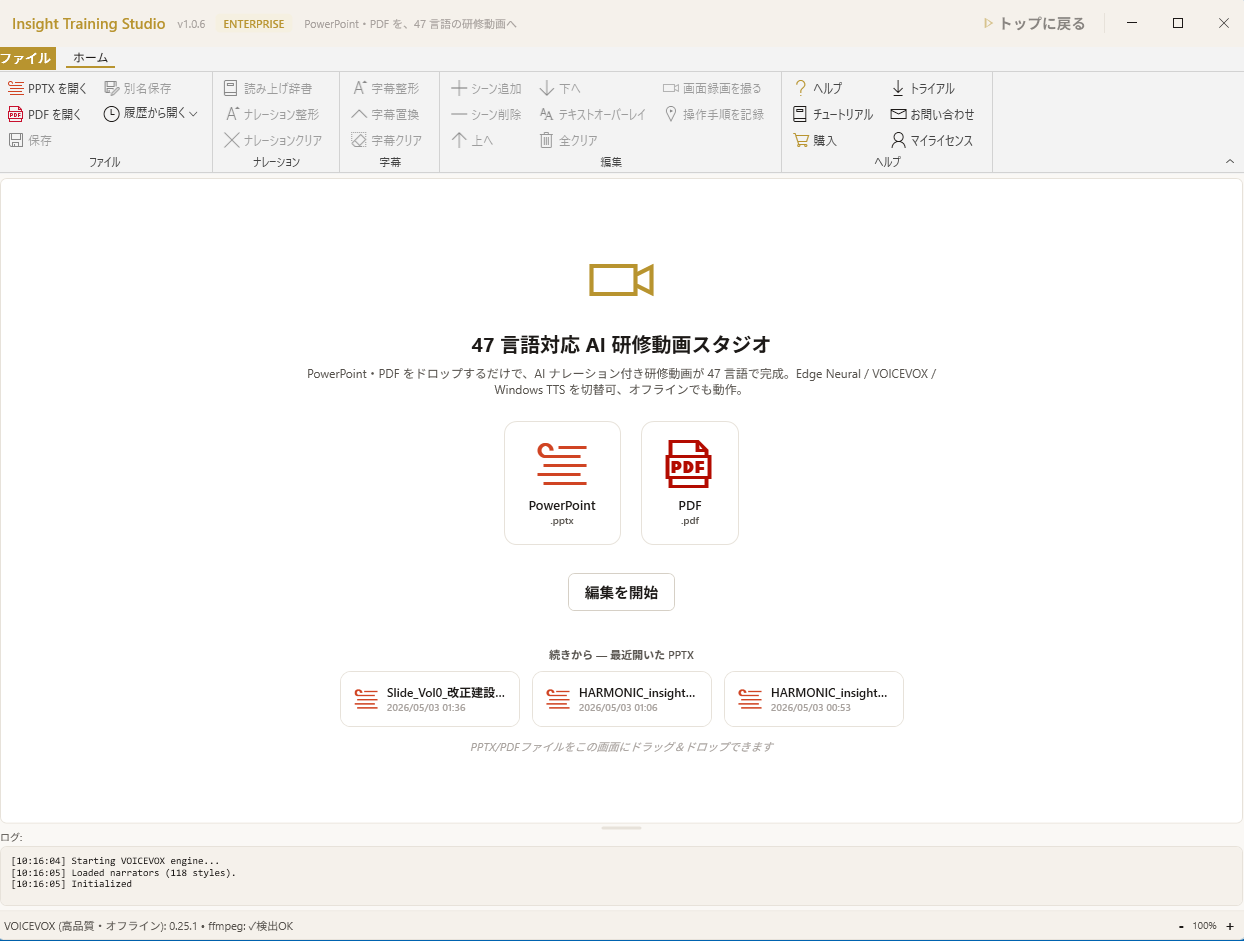
Drag your PowerPoint or PDF onto the canvas. Speaker notes become the narration script automatically.
Edit
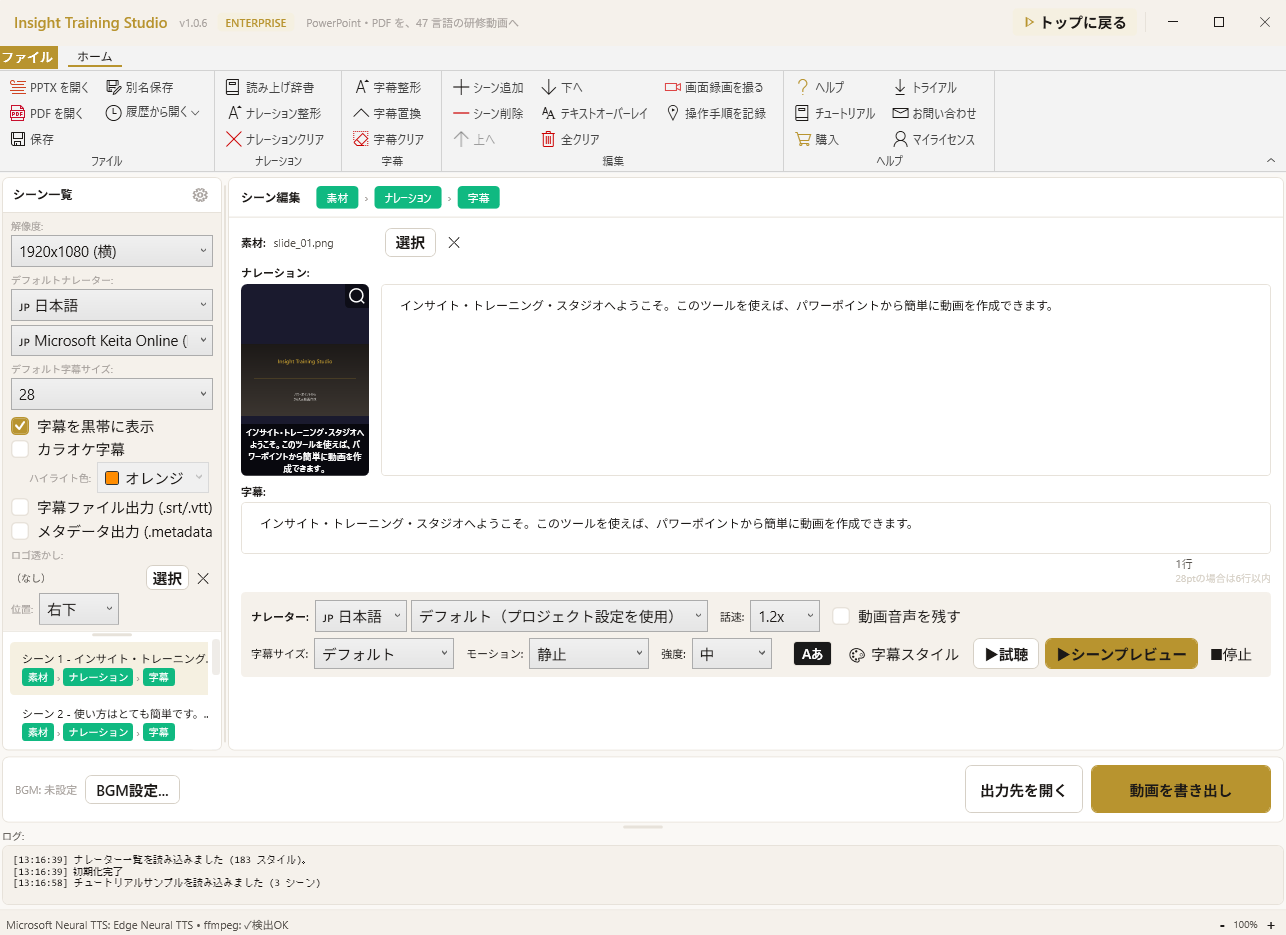
Tune voice, subtitles, speed, and BGM per scene with instant preview.
Export
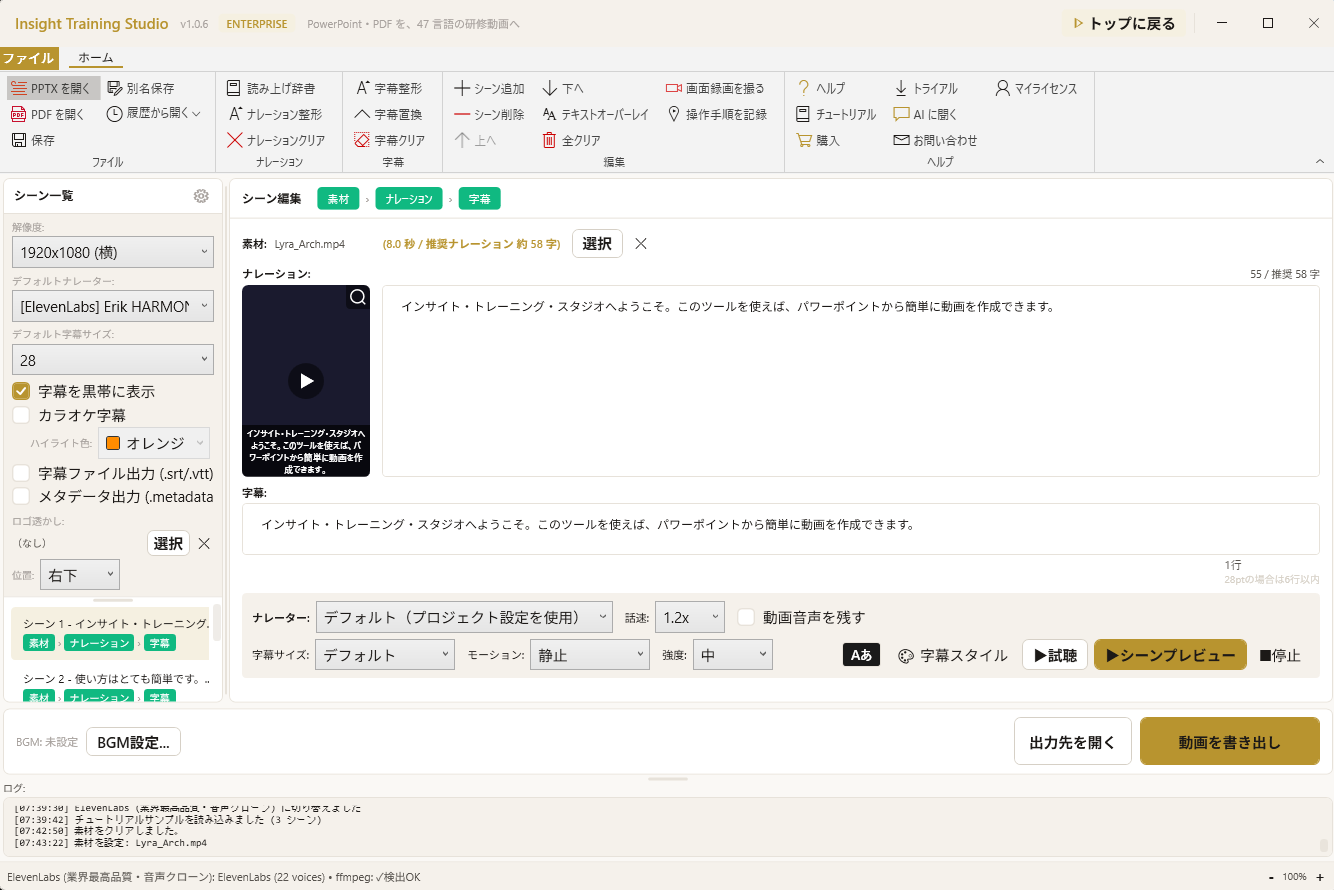
Export as MP4. With 47 languages supported, the same content ships in multiple languages with one click.
Key Features
Show all features (14)Collapse
File Compatibility & Limitations
Supported
- Imports .pptx, .pdf, .docx, .xlsx — slides become video scenes automatically
- Speaker notes converted to AI narration via 4 engines (Edge Neural / VOICEVOX / Windows OneCore / ElevenLabs)
- Exports MP4 (up to 1080p), WAV / MP3 audio, and SCORM 1.2 LMS packages
- Supports custom BGM, watermarks, picture-in-picture, and 8 transition types
- Windows 10/11 64-bit (.NET 8)
Notes & Limitations
- Slide animations are not reproduced — each slide becomes a static frame in the output
- Embedded videos inside slides are not transferred to the output video
- Windows desktop only — no macOS or Linux build
- ElevenLabs narration requires your own ElevenLabs API key (BYOK)
Real-World Use Cases
Implementation & Support Structure
Insight Business Suite is a self-developed product backed by certified partner-led deployment support. From requirements analysis and environment setup through user training and operational adoption, a dedicated team walks alongside you. Ongoing improvement proposals, update rollouts, and technical support ensure stable operations regardless of organization size.
AI you can trust — try it with your own files
Open your .xlsx or .pptx in the free version. See AI edit your documents — with anonymization protecting your data. Then scale with confidence.
Free version available — no credit card, no commitment