Convert PowerPoint into an mp4 video
We read your slides and their speaker notes, and turn them into an mp4 video.Narration and subtitles are generated from the speaker notes.The length of each narration sets how long its slide stays on screen.For people who learn on a phone, showing beats handing them a manual to read.
- EV code signed — the publisher is shown during installation
- Free edition available (no time limit; watermarked output, up to 720p)
Also available on
Here is what the same deck becomes
This video was made from our sample deck — 5 slides, with a narration script in the speaker notes. Download both the PowerPoint file and the video, and compare them.
The speaker notes become the narration and the subtitles, and their length decides how long each slide stays on screen.
Try writing a narration script
Paste the text you would put in the speaker notes and see how it becomes subtitles. Everything is calculated in this page — your text is not sent anywhere.
2
Lines
43
Longest line
14s
Estimated narration
The lines are a comfortable length.
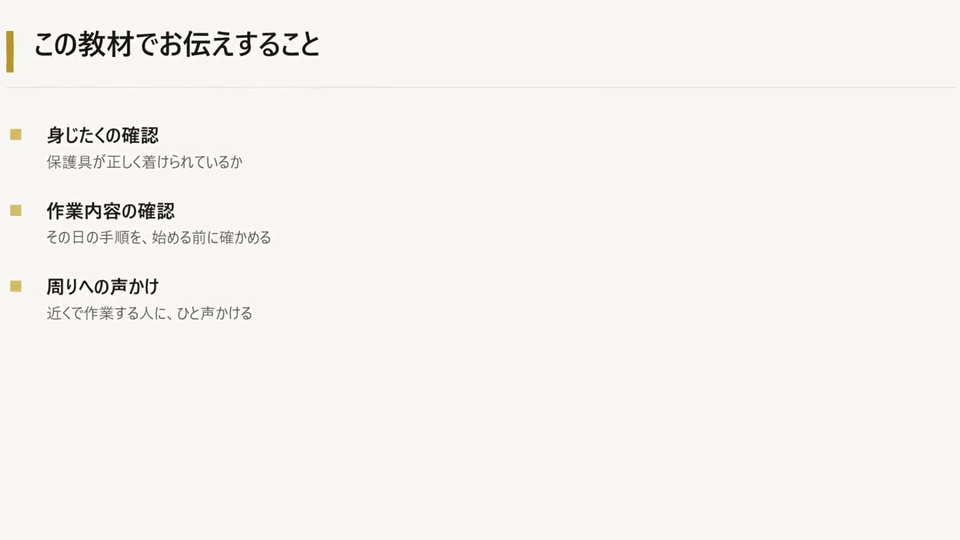
お伝えするのは、三つです。身じたく、作業内容の確認、そして声かけ。
どれも、当たり前のことばかりです。ですが、この当たり前が抜けたときに、事故は起きます。
Lines are broken at sentence ends, commas, brackets and particles — the same way the exported subtitles are built. Tuned for Japanese.
How it works, in two minutes
Watch the actual screens, from loading a deck to exporting the video. You can download the video itself as well.
Tired of these problems?
Splitting video production and technical writing across separate vendors
Generate both training video and step-by-step manual from the same workflow, in-house
Writing operation manuals for business systems by hand is exhausting
Just click through. Step capture auto-generates numbered manuals + screenshots
Want training videos but video editors are too complex
Drop in your PowerPoint. No editing skills — narration and subtitles are automatic
No bandwidth to localize for overseas offices or foreign workers
47 languages + 9-language preset for Japan's specified-skill workforce
Sensitive training content can't go to the cloud
Local TTS (VOICEVOX) for fully offline processing
Finished videos won't load into our LMS
SCORM 1.2 package export drops straight into Moodle, Cornerstone, and any SCORM 1.2 LMS
Video Samples
See videos created with Insight Training Studio
Features
PPT / PDF → Video
Slides become video scenes automatically. Layout, text, and images are auto-detected. No video editor required.
Screen Recording → Tutorial Video
Record actual system operation → AI auto-edits into a narrated training video. Perfect for SaaS tutorials and IT department system training.
Step Capture → Operation Manual
Just click through. Each step is auto-detected, screenshot captured, and described by AI. Numbered manual (Word / PDF) and demo video generated together. No technical writer required.
Per-Scene Narration (TTS / Import / In-App Recording)
Three audio sources, switchable per scene with a single flag: ①In-app one-button mic recording (NAudio, scene-level) ②Import existing wav/mp3 ③TTS auto-generation (Edge Neural cloud 47 languages + VOICEVOX local). Mix freely — intro in your own voice, body in TTS for multi-language versions.
Auto Subtitles
Subtitles synced with narration. Customize font, color, position. Multilingual support.
Dual PiP Overlay
Layer up to two videos on top of the main scene — AI instructor avatars, sign-language interpreters, or live trainer footage, per scene. Configurable position, size, and circle/rectangle mask.
YouTube Shorts + Direct Upload
9:16 vertical templates (15s / 30s / 60s). Direct upload to YouTube with title, description, and tags.
WAV / MP3 Podcast Export
Same workflow, audio-only. Internal podcasts, audio manuals, or source material for external lip-sync AI.
SCORM 1.2 Package Export
Drop straight into Moodle, Cornerstone, SAP SuccessFactors, or any SCORM 1.2 LMS. Completion status, session time, and resume bookmark tracked automatically. Registered and verified on Moodle + SCORM Cloud (Rustici) as of 2026-05-11.
New to SCORM? → Read the 5-minute intro guide →Who uses it
Onboarding & SOP video creation + LMS delivery
“Used to outsource for $2,000 per video. Now we make unlimited in-house — SCORM 1.2 export drops straight into our LMS for completion tracking”
Operation manuals + tutorial video production
“Just record the screen — numbered manual and demo video generated together. Freed us from rewriting docs every product update”
User training material in-house
“Build training videos and step-by-step manuals for SaaS tools and in-house systems without hiring a technical writer”
Client-facing operation manual production
“Whether it's presentation material or business system onboarding, one tool handles multilingual, video, and LMS packaging”
Multilingual safety training for foreign workers
“Recorded an experienced worker's process → produced 9-language safety training video + manual in-house. SCORM provides the completion trail for audits”
Online classes & public training
“Batch-generated course videos from lecture slides. Sign-language PiP enabled disability act compliance”
Pricing
Simple pricing with full features
FREE
Try it out
$0
Forever free
- PPTX to video conversion
- Image & text to video
- Subtitles & transitions
- TTS narration
- YouTube Shorts templates
- Watermark on output
- Up to 720p
BIZ
For creators & businesses
$299
/ year
- All FREE features
- No watermark
- 1080p / Full HD
- Direct YouTube upload
- Caption download
- AI Assistant (BYOK)
ENT
Multi-device or multi-product deployments
Custom quote
- All BIZ features
- Custom quote
- Volume terms
Prices exclude tax.